Watermelon Web Works, LLC
  • 0 Shopping Cart
  • Home
  • Store
    • Browse All
    • Web Hosting
    • Register a New Domain
    • Transfer Domains to Us
  • Announcements
  • Knowledgebase
  • Network Status
  • Contact Us
  • More
  • Account
    • Login
    • Forgot Password?
  1. Portal Home
  2. Knowledgebase
  3. CloudLinux (cPanel)
  4. How to Enable the GD extension of PHP using CloudLinux Selector in cPanel?

  Categories

Backup/Restore
4
Cloudflare (cPanel)
9
CloudLinux (cPanel)
10
cPanel - Control Panel
24
Databases
11
DNS - Nameservers
6
Domain Management
10
Email
1
Email
17
FTP
9
Mail Filters & SPAM
8
Mobile
11
Others
3
PayPal
7
Security
10
SiteWorx (Control Panel)
61
Softaculous
76
SSL
5
WHM
18
WordPress
17

  Categories

  Support

My Support Tickets
Announcements
Knowledgebase
Downloads
Network Status
Open Ticket

How to Enable the GD extension of PHP using CloudLinux Selector in cPanel? Print

  • 1

You can use CloudLinux Selector to enable GD extension in PHP via cPanel.

1. Log into your cPanel account.

2. In the Software section, click the Select PHP Version.

cP-CL-Select-PHP-Version-icon.gif

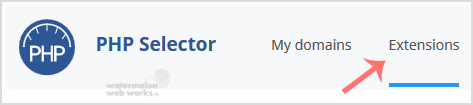
3. Click on the Extensions menu.

CL-extensions-tab-button.gif

Note: If the Extensions page shows an error related to the native PHP version, change it to a non-native version first.

4. Tick mark the GD Once enabled, it will display a success message.

CL-enable-GD-extension.gif

The message will read that the module GD is saved.


Was this answer helpful?

Related Articles

How to Change the PHP Version via CloudLinux Selector in cPanel? ? You can use CloudLinux's Select PHP Version to change your website's PHP Version. CloudLinux... How to Enable ionCube Loader using CloudLinux Selector in cPanel? ? You can use CloudLinux Selector to enable ionCube Loader in cPanel. ? 1. Log into your... How to Enable the Mailparse Extension of PHP Using CloudLinux Selector in cPanel? ? You can use CloudLinux Selector to enable the Mailparse extension in PHP via cPanel. ? 1.... How to Enable or Disable PHP Extensions Using the CloudLinux Selector in cPanel? ? You can use CloudLinux Selector to enable or disable available PHP extensions in cPanel. ?... How to Enable or Disable PHP's allow_url_fopen using CloudLinux Selector in cPanel? ? You can use CloudLinux Selector to enable or disable the allow_url_fopen directive in cPanel....
« Back

  Support

My Support Tickets
Announcements
Knowledgebase
Downloads
Network Status
Open Ticket
  • Contact Us
  • Terms of Service

Copyright © 2026 Watermelon Web Works, LLC. All Rights Reserved.


Loading...
Loading...

Choose Currency

$ USD
$ CAD

Generate Password

Please enter a number between 8 and 64 for the password length